


Korea's Self-Order Kiosks Explained: A Survival Guide for Foreign Travelers
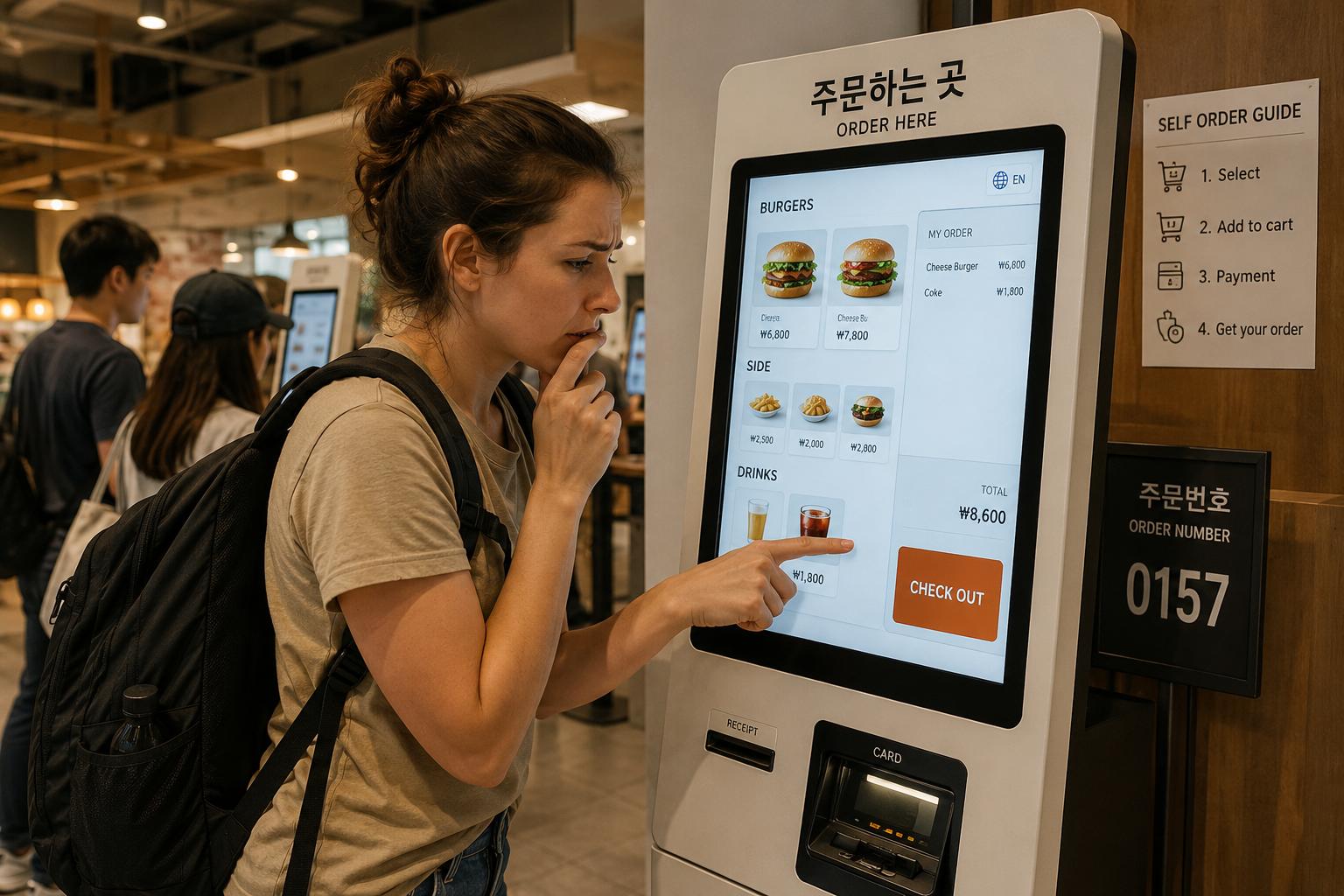
In many Korean restaurants and cafes, kiosks — self-ordering machines — greet customers instead of staff.
In This Article
In many Korean restaurants and cafes, kiosks — self-ordering machines — greet customers instead of staff.
From large franchise chains in central Seoul to small snack shops tucked in side alleys, kiosks have become standard infrastructure in Korea's dining culture.
Most screens default to Korean, which can feel unfamiliar and disorienting for foreign travelers encountering them for the first time.
Once you understand the steps and the logic, however, the process is not difficult.
Step 1: Change the Language Before Anything Else
The first thing to do when standing in front of a kiosk is to look for the language switch button.
It is typically located in the upper right or lower area of the screen, and is displayed as a globe icon or text buttons reading 'EN / JP / CN'.
Pressing it allows you to select from English, Japanese, or Chinese.
However, English support varies by location. If no English option is available, you will need to proceed through the remaining steps using the Korean interface. In that case, referring to menu photos or asking a staff member for assistance are the most practical alternatives.
Step 2: When a Popup Appears, Select One Option
After selecting a menu item, a popup will often appear on screen. It typically asks questions in sequence — whether you want a single item or a set meal, whether to add a side dish, which drink to choose, and whether you want ice.
While the popup is active, you must select one of the available options before proceeding to the next step. Be aware that pressing the back button may restart the process from the beginning.
Once your selections are complete, press the highlighted button in the lower right corner of the screen. In Korean it reads '담기' or '추가', and in English it appears as 'Add to Cart'.
Step 3: Insert Your Card Fully and Keep It In
When the payment screen appears, insert your card into the card slot. Orient it so the IC chip faces upward, and push it in until it cannot go any further.
Removing the card partway through may cancel the payment and reset the order, so keep the card in place until a completion message appears on screen.
For mobile payments such as Samsung Pay or Apple Pay, hold your smartphone near the contactless payment mark (NFC mark) located at the bottom of the screen or on the side of the machine.
Cards issued outside of Korea may not be recognized by some machines. It is advisable to confirm foreign card compatibility at each location before ordering.
Step 4: Always Check the Order Number on Your Receipt
Once payment is complete, a receipt will print out. The number displayed prominently at the top or bottom of the receipt is your order number.
Most locations operate on a number system — your food is ready to collect when that number appears on the electronic display board or screen inside the restaurant. Keep your receipt until your number is called.
Some locations provide a buzzer instead of using a number system. In that case, collect the buzzer from beside the kiosk or at the counter.
When You Get Stuck
If a staff member is nearby, saying "도와주세요 (Do-wa-ju-se-yo)" or simply pointing at the machine is generally enough to receive help.
If no staff member is available, asking another customer waiting in line behind you is also an option. In Korea, this kind of request is generally received in a natural and helpful way.